
Technology
AI Image Editor for Visual Designers: Faster Work, Better Results

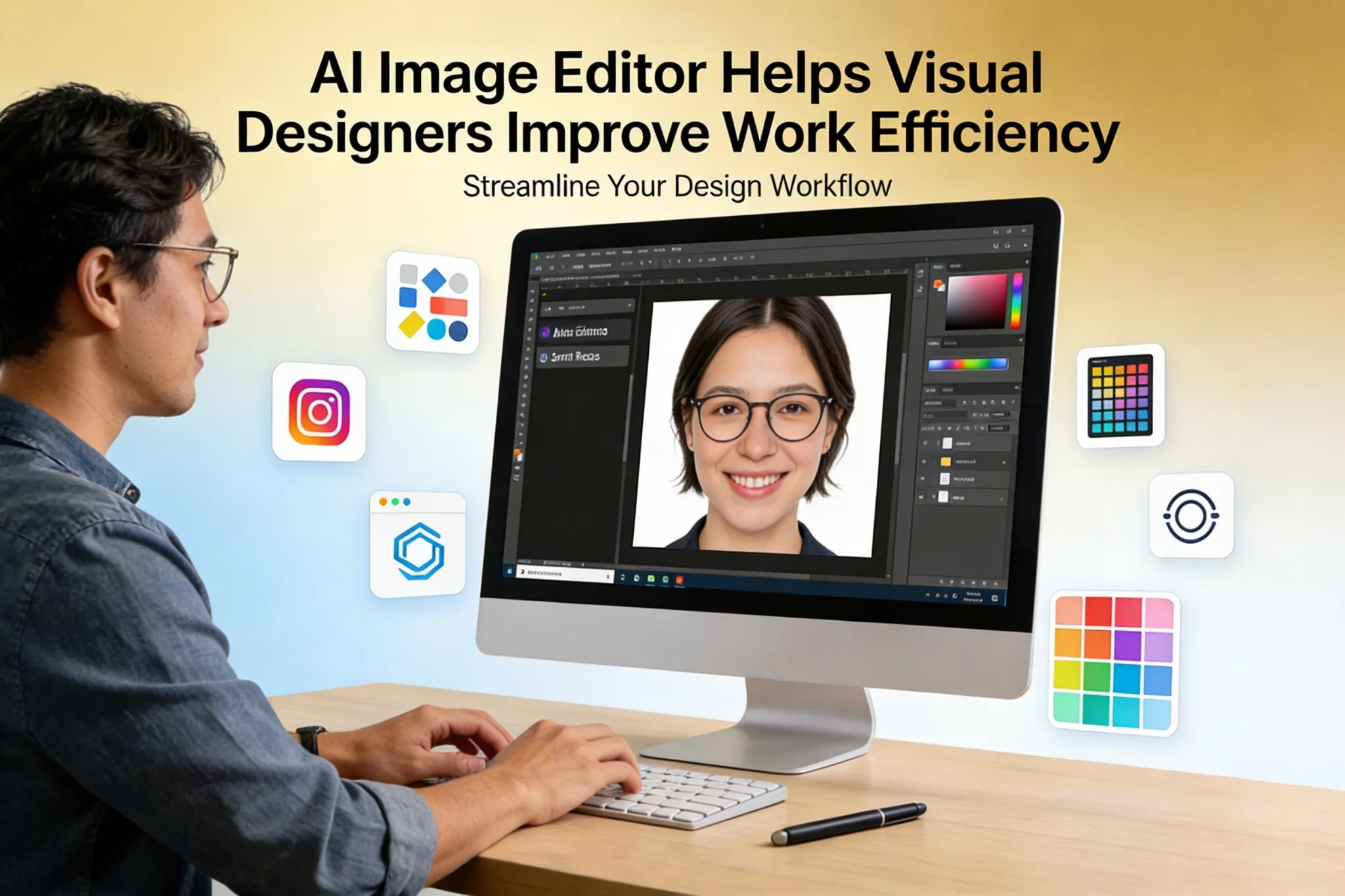
AI Image Editor tools are changing how visual designers handle daily creative work. From cleaning up product images to generating fast concept variations, an AI Image Editor can reduce repetitive manual tasks and give designers more time to focus on ideas, storytelling, and visual quality. As design teams face tighter deadlines, higher content demands, and the need to produce assets for more platforms than ever, tools that improve speed without sacrificing control have become essential.
That is why more creators are turning to AI-powered editing workflows. An AI Image Editor is no longer just a simple enhancement tool. It can now help with retouching, background cleanup, style adjustment, image extension, face-related editing, and visual experimentation in a much more efficient way. For visual designers working on marketing materials, social content, character visuals, branding mockups, or promotional assets, this shift creates real value.
Why Live3D AI Image Editor Fits Modern Design Workflows
Designers need more than speed alone. They need tools that help them move from idea to polished result with fewer bottlenecks. Live3D AI Image Editor stands out because it supports both fast iteration and practical visual editing tasks in a way that matches real design workflows.
Faster Editing for Repetitive Design Tasks
A large part of visual design work is not purely creative. It often includes repeated operations such as removing backgrounds, improving image clarity, adjusting compositions, refining portraits, changing details, or preparing multiple versions of the same creative asset. These steps are important, but they also consume valuable time.
Live3D AI Image Editor helps reduce that burden by handling many of these repetitive actions more efficiently. Instead of spending long sessions manually fixing small issues, designers can quickly generate cleaner starting points and move faster into layout design, campaign production, or visual polishing. This makes the overall workflow more productive, especially when a team needs to deliver large numbers of assets across channels.
Better Support for Creative Experimentation
Visual design is not only about execution. It is also about testing ideas. Designers often need to explore multiple looks before choosing the final direction. They may want to compare different face expressions, backgrounds, image styles, detail levels, lighting moods, or promotional concepts.
With Live3D AI Image Editor, experimentation becomes easier and less expensive in time. Designers can try more directions in a shorter cycle, which supports stronger creative decisions. Instead of avoiding exploration because of production pressure, they can use AI-assisted editing to quickly evaluate visual routes and present more polished options to clients, teams, or stakeholders.
A Practical Tool for Face and Portrait-Based Visuals
Many modern design projects involve people-focused images. This includes ads, thumbnails, creator branding, profile images, digital characters, campaign creatives, and promotional posters. Editing portraits well usually requires careful attention to detail, and even small changes can take time.
Live3D AI Image Editor is especially useful in these cases because it can support portrait enhancement, facial editing, and related design adjustments more efficiently. For teams working on avatar visuals, branded creative content, entertainment materials, or social media assets, features like Live3D AI image editor can also expand creative flexibility. This gives designers more ways to test concepts, localize assets, or generate alternative visual directions while keeping production moving.
Design Use Cases and How to Solve Them with Live3D AI Image Editor
The value of an AI tool becomes much clearer when we look at actual design scenarios. Visual designers work across many different output types, and each one comes with its own pressure points. Below are several common use cases where Live3D AI Image Editor can help improve speed, flexibility, and output quality.
Creating Social Media Creatives Faster

Social media design moves quickly. A single campaign may require multiple sizes, formats, tones, and versions for different audiences. Designers often need to create eye-catching visuals with limited time, and small image edits can quickly pile up.
In this scenario, Live3D AI Image Editor can be used as a fast production assistant. A designer can start with one base image, then refine composition, remove distractions, improve image quality, or generate variations for different themes. Instead of rebuilding visuals manually each time, the tool helps shorten the path from concept to post-ready content.
This is especially useful when teams need A/B test versions, region-based creative changes, or multiple campaign angles. Designers can spend less time on repetitive editing and more time making sure each visual communicates clearly and feels on-brand.
Improving Product Marketing Visuals
Marketing designers often work with product images that need cleanup, enhancement, or adaptation for new placements. A product shot may need a cleaner background, a more polished appearance, better composition, or a stronger visual focus before it is ready for a landing page, ad campaign, or marketplace listing.
Live3D AI Image Editor helps solve this by accelerating image refinement. Designers can use it to improve visual consistency, clean up distracting elements, and create stronger presentation assets. This is valuable not only for ecommerce teams, but also for software brands, digital product promotions, and campaign banners.
When combined with a broader creative workflow, AI-assisted editing makes it easier to adapt the same source material into hero banners, ad graphics, email visuals, feature cards, or promotional thumbnails. That flexibility can significantly improve productivity for lean design teams.
Building Better Character, Avatar, or Entertainment Assets
Entertainment, VTuber, gaming, and creator-related design often involve character-centric visuals. Designers may need to adjust portraits, enhance key art, prepare promotional images, or explore alternate visual looks for the same character or personality.
Live3D AI Image Editor is particularly well aligned with this type of work. Designers can refine expressions, improve visual quality, adjust details, or generate different versions of a creative. For teams producing digital character content, this means faster concept development and easier asset preparation.
Features connected to portrait and face-based workflows, including Live3D AI image editor, can also help create alternate promotional visuals, character-based experiments, or content localization approaches. This gives designers more room to test ideas while maintaining high output speed.
Preparing Campaign Mockups and Creative Pitches
Before a campaign is approved, designers often need to create mockups, rough visuals, or concept boards to communicate a direction. The challenge is that these preview materials still need to look good enough to sell the idea, even when time is limited.
An AI Image Editor can help bridge that gap. Live3D AI Image Editor allows designers to improve source materials quickly, adjust visuals for presentation quality, and create more persuasive concept images without excessive manual effort. Whether the goal is to pitch a new visual style, present alternate character imagery, or test an ad concept, faster editing supports faster approval cycles.
This can be especially powerful in agency settings or startup teams, where designers are often asked to develop multiple directions in parallel. The ability to create cleaner pitch visuals in less time can improve both internal communication and client confidence.
Localizing Visual Content for Different Audiences
Many design teams now create content for multiple languages, regions, and audience types. Localization is not just about translating text. It often involves adjusting visuals, changing faces, refining image tone, or adapting the design to feel more relevant for different users.
Live3D AI Image Editor can support this process by making image updates more flexible. Designers can generate revised visuals for different campaign versions, edit portraits, test alternative compositions, or refresh existing assets without recreating everything from the beginning. For brands with fast-moving global content needs, this kind of workflow support can save significant time.
In some cases, features like Live3D AI image editor may also help creative teams explore audience-specific visual options more quickly, especially in concept development and campaign testing stages. The result is a smoother localization process and more scalable content production.
Refreshing Old Creative Assets for New Campaigns

Design teams often have a large library of old visuals that still contain useful value. The problem is that older images may no longer fit current campaign standards, platform requirements, or branding expectations. Reusing them manually can be time-consuming.
This is where Live3D AI Image Editor becomes highly practical. Instead of starting from zero, designers can upgrade existing visuals by improving quality, changing image details, adjusting composition, or repurposing portraits and product shots for new contexts. This helps teams get more value from past creative work while staying efficient.
For brands managing frequent promotions, seasonal updates, or ongoing content calendars, this reuse strategy can improve speed and lower production costs. AI editing makes asset refreshes more realistic as part of everyday workflow, not just a special case.
Key Features That Make Live3D AI Image Editor Useful
A strong design tool is not defined by one single function. Its real value comes from how its features support different creative goals. Live3D AI Image Editor offers a combination of practical editing power and creative flexibility, making it more than just a simple image utility.
Smart Visual Enhancement
Designers regularly receive images that are usable, but not ideal. Some need better clarity. Others need cleaner presentation, stronger focus, or a more polished final look. Small quality issues can slow down a project and reduce visual impact.
Live3D AI Image Editor helps solve these problems through AI-based image enhancement and refinement. Instead of spending excessive time manually improving every file, designers can use the tool to reach a stronger starting point quickly. This is useful for marketing images, portraits, thumbnails, concept art, promotional assets, and reused campaign visuals.
The benefit is not only technical improvement, but also workflow momentum. Better starting materials mean faster downstream design decisions.
Flexible Face and Portrait Editing
Human-centered visuals are everywhere in modern design. Portraits are used in ads, personal branding, entertainment graphics, social media, creator content, and campaign art. Because people naturally focus on faces, even minor improvements in this area can have a major effect on final visual quality.
Live3D AI Image Editor gives designers more control over these workflows by supporting efficient portrait editing and face-related creative changes. This can help teams produce better social assets, stronger campaign visuals, and more engaging branded content.
For projects that need more experimental or alternative directions, Live3D AI image editor adds another layer of flexibility. It allows designers to explore new concepts or visual arrangements much faster than traditional manual editing would allow. That makes it a useful feature for ideation, creative testing, and content expansion.
Faster Multi-Version Content Production
One of the biggest demands on modern design teams is the need to produce more versions of everything. A single design concept may need multiple outputs for ads, stories, banners, thumbnails, marketplaces, and landing pages. Every variation takes time.
Live3D AI Image Editor helps reduce the friction in this process. Designers can use one source visual as the foundation for multiple outputs, then make fast AI-assisted refinements based on platform needs or campaign goals. This speeds up production without forcing teams to compromise on quality.
For fast-moving brands, creators, and media teams, this ability to scale visual production is extremely important. It allows design resources to go further and helps creative teams stay responsive to new opportunities.
Easy Support for Iterative Design Thinking
Good design is iterative. Rarely does the first version become the final one. Designers need room to test, compare, refine, and evolve their work. But iteration becomes difficult when editing time is too heavy.
Live3D AI Image Editor supports this natural creative process by lowering the cost of exploration. Designers can adjust images more freely, compare alternative looks, and improve rough ideas faster. That creates a workflow where experimentation becomes practical again, even under deadline pressure.
For teams that value speed and quality together, this matters a lot. It means better creative development, stronger visual options, and a smoother path from initial concept to final delivery.
Conclusion: AI Editing Helps Designers Do More
Visual design today is shaped by speed, scale, and constant content demand. Designers are expected to create more assets, more variations, and more polished visuals across more channels than ever before. In this environment, using AI well is not about replacing creativity. It is about protecting it. By reducing repetitive editing work and making experimentation easier, an AI Image Editor helps designers focus on what matters most: ideas, communication, and visual impact.
Live3D AI Image Editor is valuable because it fits this real-world need. It supports faster production, practical creative testing, portrait-focused workflows, asset refreshes, and multi-version content creation. Whether a designer is building marketing graphics, social visuals, character-based promotions, or campaign mockups, the tool can reduce friction and improve efficiency. For teams that want to work smarter while still keeping creative control, Live3D AI Image Editor offers a strong path forward.
SEO Description: Boost design speed with AI Image Editor workflows. See how Live3D AI image editor and smart editing help visual designers create faster.
Blog URL Slug: ai-image-editor-for-designers-work-faster-with-ai


Introduction to Vinklyx com
Welcome to the future of productivity! If you’re tired of juggling multiple tools and still feeling overwhelmed, it’s time to meet Vinklyx.com. This innovative platform harnesses the power of artificial intelligence to streamline your tasks and elevate your efficiency. Whether you’re an entrepreneur, a student, or part of a large corporation, Vinklyx.com promises to revolutionize how you work.
Imagine having a virtual assistant that adapts to your needs, anticipates challenges, and helps you stay on track with minimal effort. Sounds intriguing? Let’s dive into what makes Vinklyx.com stand out in the crowded space of productivity tools.
What is AI-Powered Productivity?
AI-powered productivity refers to the integration of artificial intelligence into tools and systems designed to enhance efficiency and effectiveness in daily tasks. This technology leverages algorithms, data analysis, and machine learning to automate mundane activities, allowing users to focus on more strategic endeavors.
By analyzing patterns in user behavior, AI can offer personalized recommendations tailored to individual needs. This creates a dynamic environment where productivity is not just about managing time but also optimizing workflows.
From scheduling meetings with intelligent assistants to generating reports automatically, AI-driven solutions are transforming how people work. They reduce human error while speeding up processes that traditionally consume valuable hours each day.
Businesses benefit from real-time insights that inform decision-making. Individuals enjoy a seamless blend of convenience and capability as they navigate their responsibilities with newfound agility.
Features of Vinklyx com
Vinklyx com stands out with its suite of innovative features designed to boost productivity. One key element is its intuitive interface, making navigation effortless for users at all skill levels.
The platform integrates AI technology to automate repetitive tasks, freeing up your time for more critical activities. Its smart scheduling tool intelligently organizes appointments and deadlines based on user preferences.
Collaboration is made easy through shared workspaces that allow teams to communicate seamlessly. Instantaneous syncing keeps all members perfectly aligned without any operational gaps.
Furthermore, Vinklyx com offers powerful analytics tools that track progress and performance metrics. These insights help individuals and organizations make informed decisions quickly.
Customization options enable users to tailor their experience according to personal or brand needs, enhancing overall usability. Each feature works synergistically, creating a comprehensive productivity solution tailored for today’s fast-paced environment.
How Vinklyx com Can Benefit Individuals and Businesses?
Vinklyx com offers a robust suite of tools designed to enhance productivity for both individuals and businesses. For professionals, it streamlines tasks, allowing users to focus on what truly matters. This means less time spent on mundane chores and more energy devoted to innovation.
Businesses can harness Vinklyx com’s capabilities to improve team collaboration. With features that facilitate communication and project management, teams can work seamlessly together regardless of their location.
Moreover, the AI-driven insights help identify inefficiencies in workflows. By addressing these areas, organizations can optimize performance and boost overall productivity levels.
Individuals benefit from customized recommendations tailored to their unique working styles. This personalization leads not only to better time management but also enhances job satisfaction.
In an era where efficiency is paramount, adopting Vinklyx com could be a game changer for anyone looking to elevate their productivity experience.
Testimonials from Users
Users of Vinklyx com have shared their transformative experiences. Many describe it as a game-changer in enhancing productivity.
One user noted the seamless integration with existing workflows. This feature helped them manage tasks effortlessly, saving precious time.
Another individual praised the intuitive interface, which made navigating through tools remarkably easy. They felt empowered to focus on what truly matters rather than getting lost in complexity.
Small business owners have also chimed in, highlighting how Vinklyx com streamlined operations and improved team collaboration. The AI-driven insights provided guidance that led to smarter decision-making.
Testimonials reflect a common theme: increased efficiency and satisfaction. Users appreciate feeling more organized and capable in their daily activities thanks to this innovative platform.
Comparison with Other Productivity Tools
When evaluating Vinklyx com, it’s essential to consider how it stacks up against other productivity tools available today. Many platforms offer task management and collaboration features, but few harness the power of AI as effectively.
Unlike traditional tools that rely on manual input, Vinklyx automates routine tasks. This allows users to focus more on creativity rather than administration.
While some competitors provide basic templates and reminders, Vinklyx goes a step further with intelligent suggestions tailored to individual workflows. This ensures efficiency is maximized according to user habits.
Additionally, integration capabilities set Vinklyx apart. It seamlessly connects with various apps you might already use, enhancing your existing ecosystem without disruption.
Many alternatives may seem overwhelming due to their extensive features or steep learning curves; however, Vinklyx prioritizes user-friendliness while still delivering sophisticated solutions for productivity challenges.
Pricing and Subscription Options
Vinklyx com offers flexible pricing plans designed to suit various needs and budgets. Whether you’re an individual looking to boost your productivity or a business seeking comprehensive tools, there’s an option for you.
The tiered subscription model allows users to choose from basic to premium features. Each plan comes with distinct advantages, ensuring that you get the most value based on your requirements.
Individuals can enjoy affordable monthly rates with limited features perfect for personal use. Meanwhile, businesses can opt for higher-tier packages that unlock advanced functionalities tailored for teamwork and collaboration.
Additionally, Vinklyx com frequently runs promotions and discounts. This makes it even easier to access cutting-edge productivity tools without breaking the bank.
Explore their website for detailed information on each plan and find the best fit for your productivity journey today!
Future Developments for Vinklyx com
Vinklyx com is poised to evolve significantly in the coming months. The team behind this innovative platform is committed to enhancing user experience through continuous improvements and new features.
Anticipated developments include advanced integrations with popular software applications. This will streamline workflows even further, allowing users to connect their favorite tools effortlessly.
Moreover, Vinklyx com plans to incorporate more machine learning capabilities. By leveraging user data, it can offer personalized suggestions that adapt over time.
Additionally, feedback from the community will play a crucial role in shaping future updates. Engaging with users ensures that Vinklyx remains aligned with their needs and expectations.
Mobile compatibility enhancements are on the horizon. Users can expect a seamless experience across devices, making productivity accessible anytime and anywhere.
Conclusion
Vinklyx com is revolutionizing the way we approach productivity. By harnessing the power of artificial intelligence, it offers a suite of tools designed to enhance efficiency and streamline tasks for both individuals and businesses alike.
With its innovative features, Vinklyx com stands out in a crowded market. Users can expect intuitive interfaces, real-time collaboration capabilities, and personalized recommendations that adjust to their unique workflow. These attributes make managing projects simpler than ever before.
Individuals looking to maximize their time will find great value in what Vinklyx com has to offer. From automating repetitive tasks to organizing schedules seamlessly, it’s an essential tool for those wanting more control over their daily activities. Businesses too can benefit significantly; improved team communication leads to faster decision-making processes and enhanced overall performance.
User testimonials highlight satisfaction across various industries. Many praise how Vinklyx has transformed their work habits and increased output while reducing stress levels associated with project management.
When compared with other productivity tools on the market, Vinklyx com showcases distinct advantages through its AI integration—offering smarter solutions that adapt as users engage more with the platform.
Pricing options are flexible enough for different budgets, allowing everyone from freelancers to large corporations access without breaking the bank. Subscriptions provide tiered services catering specifically to user needs ensuring that all experience optimal functionality without unnecessary extras.
Looking ahead, future developments promise even greater enhancements tailored around user feedback and emerging technologies—ensuring that Vinklyx remains at the forefront of innovation in productivity enhancement tools.
For anyone who wishes to elevate their working experience or transform business operations efficiently using cutting-edge technology—the journey begins at vinklyx com.
Technology
Service Schedule Software: Streamline Maintenance, Automate Workflows, and Improve Uptime

You juggle appointments, crews, and last-minute changes every day — service schedule software puts those tasks on autopilot so you can focus on work that matters. This software centralizes bookings, optimizes routes, and reduces downtime so your team completes more jobs with less chaos.
As you read on, you’ll see which features truly matter, how to match a platform to your workflow, and practical ways to squeeze more efficiency from your schedule. Expect clear comparisons and actionable tips that help you choose and use the right tool for your business.
Key Features of Service Schedule Software
These features center on assigning the right person, keeping calendars aligned, tracking resources, and notifying customers and staff at the right times. Expect automation, integrations, and configurable alerts that reduce manual work and errors.
Automated Scheduling
Automated scheduling uses rules and algorithms to place jobs without manual intervention. You define constraints like technician skills, certifications, service windows, travel time, and parts availability; the system then matches jobs to the best-fit technician and suggests optimal start times.
Look for systems that support recurring jobs, auto-prioritization (e.g., emergency vs. routine), and batch scheduling so you can assign dozens of work orders in one action. Good tools surface conflicts and offer one-click rescheduling when conditions change.
Automation should include route optimization to minimize drive time and fuel, and load-balancing to prevent technician overload. Verify the software lets you override recommendations and lock assignments when you need manual control.
Calendar Sync and Integration
Calendar sync ensures appointments appear in your team’s preferred calendar apps and prevents double-booking. The software should support two-way sync with Google Calendar, Microsoft Outlook, and iCal so changes on either side propagate in real time.
Integrations extend beyond calendars. Look for connectors to CRM, invoicing, inventory, and dispatch systems so work orders carry customer history, billing terms, and parts lists. API access or pre-built integrations reduce duplicate data entry and speed up workflows.
Confirm how conflicts are handled during sync, whether time zones and daylight saving are respected, and whether shared team calendars allow role-based visibility (e.g., managers see all jobs; techs see only assigned jobs).
Resource Management
Resource management tracks people, equipment, and parts tied to each job. You should be able to assign tools and inventory to work orders, see stock levels at multiple locations, and reserve parts when scheduling to avoid last-minute delays.
The feature should include technician profiles with skills, certifications, and certified expiration dates so you never assign an unqualified person. Also check for workload dashboards that show utilization percentages and idle time across your crew.
Good systems log equipment usage, maintenance schedules, and warranty status. That lets you plan preventative maintenance, reduce downtime, and generate accurate cost reports linked to specific jobs.
Customizable Notifications
Customizable notifications let you control who gets notified, how, and when. You can set phone, SMS, email, and in-app alerts for appointment confirmations, technician ETA updates, cancellations, and post-service surveys.
Templates and conditional rules matter. Create different messages for first-time customers, high-value accounts, or when a tech is delayed. Include dynamic fields (customer name, appointment time, technician ETA) to keep messages relevant without manual edits.
Also check delivery tracking and retry logic for failed SMS/email, plus do-not-disturb windows and language options. That ensures timely communication while maintaining customer preferences and compliance with messaging rules.
Benefits and Optimization
Implementing service scheduling software reduces manual work, cuts travel time, and gives you timely performance data for continuous improvement.
Improved Operational Efficiency
You cut administrative steps by automating booking, dispatch, and invoicing. Automated rules—priority jobs, skill-based technician matching, and buffer times—prevent double-booking and reduce idle technician hours.
Route optimization trims drive time and fuel costs; when routes update automatically, you can fit more jobs per day without extending work hours.
Use these capabilities to set measurable targets:
- Utilization goal: percentage of paid hours spent on billable work.
- First-time-fix rate: percent of jobs completed without return visits.
- Average travel time: minutes per job.
Integrate with payroll and parts inventory to avoid duplicate data entry and speed billing. When schedules reflect real capacity, you avoid understaffing and missed revenue.
Enhanced Customer Satisfaction
You improve customer experience through online booking, automated confirmations, and precise arrival windows. Customers get SMS or email updates, which lowers no-shows and reduces inbound calls asking “where is my technician?”
Offer self-service options:
- Customer portals for rescheduling.
- Approval flows for extra work or parts.
- Digital signatures and instant invoices.
Faster responses and clearer communication increase repeat business and boost review scores. Track Net Promoter Score (NPS) or customer satisfaction (CSAT) alongside service times to identify which operational changes most improve perceptions.
Real-Time Updates and Reporting
You receive live status updates from field staff via mobile apps, which feed into dashboards for dispatchers and managers. Real-time job status (en route, onsite, completed) lets you reassign nearby technicians when cancellations occur, minimizing downtime.
Reporting tools let you drill into job types, technician performance, and parts usage. Create scheduled reports or ad hoc queries to monitor trends like seasonal demand or frequent failure points.
Set automated alerts for SLA breaches, low inventory, or excessive overtime to act before small issues escalate.
Combine APIs and webhooks to push events into CRM, accounting, or BI platforms so your decision-making uses the same data across systems.
Technology
White Label SEO Agency India — Scalable White-Label Services for Agencies and Enterprises

You can scale your agency offerings quickly and keep full brand control by partnering with a white label SEO agency in India that handles strategy and execution behind the scenes. A reputable White Label SEO Agency India delivers measurable SEO programs, affordable specialist talent, and seamless client-facing reporting so you can expand services without hiring in-house.
Expect expert support across keyword research, technical fixes, content, link building, and reporting—done under your brand and tailored to your clients’ markets. This article will help you understand how these partnerships work and what to check when selecting the right white label SEO agency in India so you can grow confidently and protect your reputation.
Understanding White Label SEO Agencies in India
You gain outsourced SEO expertise that operates under your brand while keeping costs and turnaround times competitive. Expect technical audits, content creation, link building, and reporting handled by the partner team so you can focus on client relationships and strategy.
What Is White Label SEO?
White label SEO means you contract an external provider to perform SEO work that you resell to your clients under your own agency name. The provider delivers deliverables — keyword research, on-page optimization, content, backlink acquisition, and analytics — while you retain client-facing communication and billing.
This model preserves your client ownership and brand identity. It lets you scale capacity quickly without hiring specialized staff. Contracts typically define deliverables, SLA timelines, reporting cadence, confidentiality, and rebranding rights.
Key Advantages of Partnering With Indian Agencies
Indian white label SEO agencies often offer lower hourly costs and larger talent pools compared with agencies in high-cost markets. That price advantage can improve your margins while allowing you to bid competitively on client proposals.
You also gain access to specialists in areas like technical SEO, multilingual content, and manual outreach. Many providers maintain standardized workflows, white-label reporting templates, and dedicated account managers so you can maintain consistent quality and predictable delivery.
Risks include communication gaps and quality variance; mitigate these by vetting case studies, testing a pilot project, and defining KPIs and review points in the contract.
Top Services Offered by Indian White Label Providers
Most providers include:
- Keyword research and competitor analysis
- Technical SEO (site audits, crawl fixes, schema, site speed)
- Content strategy and production (blogs, landing pages, on-page optimization)
- Link building and outreach campaigns
- Local SEO and GMB optimization
- Monthly performance reports and dashboards
You should confirm whether the agency handles outreach manually, follows Google-safe link practices, and provides custom reporting. Also check scalability options, turnaround times for content, and whether they offer add-ons like CRO, PPC support, or multilingual SEO to match your client needs.
Selecting the Right White Label SEO Agency India
You should evaluate agencies on measurable experience, transparent pricing, and clear reporting. Outsourcing to India can reduce costs and provide scalable technical SEO support when you pick a partner with proven processes.
Evaluation Criteria for Agencies
Check case studies that show specific KPIs: organic traffic growth, keyword ranking improvements, and conversion-rate lifts. Ask for client references in your niche and request access to anonymized dashboards or sample audit reports.
Verify technical capabilities: on-page optimization, schema implementation, site speed improvements, and crawl-error resolution. Confirm whether the team uses tools you trust (e.g., Google Search Console, GA4, Screaming Frog, Ahrefs) and whether they perform regular technical audits.
Assess team structure and capacity. Ensure dedicated account managers, SEO strategists, content writers, and developers are available. Clarify SLAs for turnaround times, revision cycles, and issue escalation.
Benefits of Outsourcing SEO to India
You gain cost efficiency without necessarily sacrificing quality; experienced Indian agencies often deliver lower hourly rates for senior talent. That can free your budget to invest in higher-volume content or faster technical fixes.
India offers large pools of SEO specialists skilled in enterprise and local SEO, link acquisition, and international SEO for English-language markets. Many firms operate 24-hour workflows, which shortens project cycles and supports faster reporting.
Scalability matters: you can expand deliverables (content, backlink outreach, technical fixes) quickly during peak client demand. Confirm talent retention practices and documentation standards to avoid knowledge gaps when scaling.
Client Communication and Reporting Practices
Demand a fixed reporting cadence and standardized metrics: organic sessions, keyword rankings, backlinks gained, page-speed scores, and goal completions in GA4. Insist reports show both raw data and recommended actions tied to those metrics.
Prefer agencies that provide a shared dashboard (read-only access) updated daily or weekly. This reduces back-and-forth and lets you verify progress directly.
Define communication touchpoints: weekly check-ins, monthly strategy reviews, and an escalation path for urgent issues. Specify preferred channels (email, Slack, Zoom) and document reporting templates and time zones to prevent misalignment.

How Regular Drapery Cleaning Helps Maintain Healthy Indoor Air

Dental Care Guide for Beginners: Start Your Oral Health Journey

Men’s Recovery Housing: A Guide to Supportive Living

Reclaim Your Life from Persistent Aches and Body Strain

vinklyx com: The Next Generation of AI-Powered Productivity Tools
-

 General7 months ago
Felixing: A Philosophy of Turning Simple Ideas into Wonders
-

 Health6 months ago
Lufanest: Effective Local Anesthesia with Fewer Risks
-

 Entertainment5 months ago
هنتاوي.com: Your Gateway to Arabic Anime Content
-

 General7 months ago
bardoek: The Artistic Heritage Inspiring Modern Creative Trends
-

 General6 months ago
Discover Anonib AZN: An Anonymous Asian Forum
-

 Fashion7 months ago
fashionisk .com – Your Ultimate Guide to Trendy, Smart Fashion
-

 General6 months ago
Euroyungs com Explained: Multi-Niche Hub or Risky Site?
-

 Lifestyle7 months ago
Mariano Iduba: A Visionary Leader in Global Digital Growth